


Are Laser Printer Toner and Printing Odors Harmful? Can a Regular Mask Protect You?
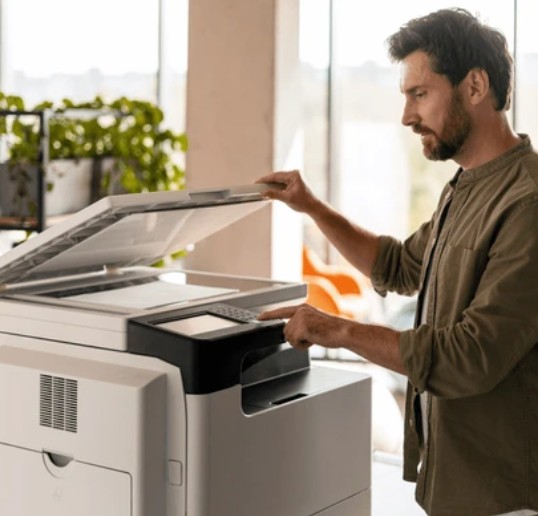
For convenience, many offices place laser printers directly beside employees’ desks or immediately behind their seats. However, the warm, distinctive odor released during printing may involve more than heated paper.
Depending on the printer model, toner, operating temperature, maintenance condition, and ventilation, laser printing may release a mixture of ultrafine particles (UFPs), volatile organic compounds (VOCs), and, in some cases, small amounts of ozone into the surrounding air.
Employees who work close to a frequently used laser printer may therefore experience greater exposure than colleagues seated farther away.
What Does a Laser Printer Release into the Air?
A laser printer uses a laser beam to create an electrostatic image on a photosensitive drum. Toner is transferred to the paper and then bonded to its surface by heated fuser rollers.
Toner formulations may contain:
- Carbon black or other pigments
- Polymer resins
- Wax and charge-control agents
- Small amounts of metals or other additives
During the high-temperature printing process, the printer may emit ultrafine particles. These emissions are not necessarily loose toner dust alone. Some may form when volatile substances released by heated toner, paper, lubricants, and internal printer components cool and condense in the surrounding air.
The quantity and composition of these emissions vary considerably among printer models and operating conditions.
Are Laser Printer Particles Smaller Than PM2.5?
Yes. Some particles emitted during laser printing may fall within the ultrafine range—generally defined as particles smaller than 0.1 micrometers, or PM0.1. Studies have detected printer-related particles measuring only a few tens of nanometers under certain test conditions.
These particles are much smaller than PM2.5. Because of their size, ultrafine particles may penetrate deep into the respiratory system. Research has associated exposure to airborne ultrafine particles with respiratory irritation and potential cardiovascular effects, although the actual risk depends on particle concentration, composition, exposure duration, ventilation, and individual health.
This does not mean that normal office printing will necessarily cause disease. However, frequently used printers placed in small, poorly ventilated rooms or directly beside employees may create unnecessary long-term exposure.
What Causes the Smell of a Laser Printer?
The characteristic warm, plastic-like, metallic, or slightly burnt odor noticed during printing may come from several sources, including:
- VOCs released from heated toner and paper
- Compounds emitted by internal printer components
- Heated dust or accumulated residue
- Small amounts of ozone generated by some printing technologies
The odor itself cannot tell you how many particles are present or whether the exposure is hazardous. Some pollutants can be detected by smell at low concentrations, while other harmful particles may have no noticeable odor.
A strong, persistent, or unusual burnt smell may also indicate that the printer requires cleaning, maintenance, or inspection.
Can a Surgical Mask Filter Laser Printer Toner and Ultrafine Particles?
A standard surgical mask may provide some particle filtration, but it is not designed or certified as a tight-fitting respirator.
Its real-world protection may be limited by:
- Gaps around the nose, cheeks, and chin
- Variation in filtration performance among products
- Air leaking around the mask instead of passing through the filter
- Extended use, moisture, damage, or an improper fit
It is not technically accurate to say that ultrafine particles simply pass through a surgical mask because they are smaller than visible pores. Fibrous filters capture particles through several mechanisms, including diffusion, interception, impaction, and electrostatic attraction.
However, because surgical masks are primarily intended for medical source control and droplet protection, they should not be treated as a substitute for a properly fitted, respirator-grade mask when higher particle protection is required.
A particle-filtering mask also has an important limitation: it does not protect against ozone, VOC gases, or all printing odors unless it includes a specifically tested gas- or vapor-removal component.
Three Ways to Reduce Laser Printer Air Pollution in the Office
1. Move the printer away from occupied workstations
Avoid placing a frequently used laser printer directly beside or behind an employee’s seat.
When possible, place the printer several meters away from regularly occupied desks or move it into a dedicated printing area. Distance alone does not create a guaranteed “safe zone,” but it can help reduce direct exposure—especially when combined with effective ventilation.
2. Improve ventilation and control emissions at the source
Place high-volume printers in a well-ventilated room or dedicated copy area. Keep air vents unobstructed and follow the manufacturer’s cleaning and maintenance schedule.
For offices with frequent printing, consider:
- Local exhaust ventilation
- Mechanical ventilation with suitable filtration
- Low-emission printer models
- Manufacturer-approved toner cartridges
- Regular inspection and maintenance
- Keeping printer-room doors closed when appropriate
Ventilation and source control should always be the first line of protection.
3. Use appropriate respiratory protection when close exposure cannot be avoided
Employees who must frequently operate or maintain printing equipment at close range may consider a well-fitting, high-efficiency particle-filtering mask.
A physical microporous membrane mask, such as a mask, uses a fine physical barrier to capture airborne particles. Under specified laboratory test conditions, its membrane has demonstrated up to 99% filtration efficiency for 0.075-micron particles.
Selected mask models also meet the European EN 149 FFP2 respirator standard. Proper size and facial fit remain essential because unfiltered air can enter through gaps around the mask.
Respiratory protection should complement—not replace—printer relocation, ventilation, maintenance, and source control.
Watch: Understanding Airborne Pollution from Printing Equipment
Frequently Asked Questions About Laser Printer Air Pollution
Is the burnt or unpleasant smell from a laser printer toxic?
The smell may come from VOCs, heated toner and paper, internal printer components, accumulated dust, or small amounts of ozone produced by certain printers.
Brief exposure does not necessarily mean acute poisoning. However, persistent odors in a poorly ventilated space may indicate inadequate ventilation or a maintenance issue. If the odor is unusually strong, irritating, or accompanied by smoke, stop using the printer and arrange for inspection.
Is it unhealthy to keep a laser printer beside my desk?
Keeping a frequently used printer directly beside an occupied desk may increase exposure to printer-generated particles and gases.
The actual risk depends on the printer model, printing volume, room size, ventilation, toner, maintenance, and distance from the user. Moving the printer away from workstations and improving ventilation are sensible precautions.
Do laser printers release PM0.1 ultrafine particles?
Some laser printers can emit particles within the ultrafine range, meaning smaller than 0.1 micrometers. The quantity and chemical composition vary by printer model, toner, paper, temperature, and operating conditions.
Not every emitted ultrafine particle should be described as loose toner dust. Some particles may form from condensed vapors generated during the heated printing process.
Can a surgical mask protect against laser printer emissions?
A surgical mask may reduce exposure to some particles, but its loose fit and variable filtration performance limit the protection it provides.
For higher particle protection, consider a properly fitted respirator-grade or high-efficiency particle-filtering mask. However, neither a surgical mask nor a standard particulate respirator can remove ozone or VOC gases unless it includes a specifically tested gas-adsorption component.
What type of mask is suitable for laser printer particles?
Look for a mask that provides:
- Verified filtration performance for fine and submicron particles
- A secure fit around the nose, cheeks, and chin
- Low breathing resistance for extended wear
- A recognized respirator standard, such as FFP2
- Clear test reports and manufacturer documentation
A physical microporous membrane mask may offer stable particle filtration without depending solely on electrostatic attraction.
Can an FFP2 mask filter laser printer particles?
A properly fitted FFP2 respirator can reduce exposure to airborne particles, including many fine and ultrafine particles. Its effectiveness depends on correct fit, condition, and use.
An FFP2 particle-filtering mask does not automatically protect against VOCs, ozone, or gaseous printing odors.
Final Takeaway
Laser printer emissions may include ultrafine particles, VOCs, and, depending on the equipment, small amounts of ozone. The most effective approach is to control exposure at its source:
- Move frequently used printers away from occupied desks.
- Improve ventilation and maintain the equipment properly.
- Use suitable respiratory protection when close or repeated particle exposure cannot be avoided.
A mask can help reduce particle exposure, but clean office air begins with proper printer placement, ventilation, and source control.